A LinkedIn and email outreach automation tool is worth buying for one reason: a reply on either channel stops both. If the email steps and the LinkedIn steps live in two tools, that cannot happen reliably. Someone answers your connection message on Tuesday, and your email tool, which has no idea, sends follow-up three on Wednesday. Everything else on this page follows from that test. Email and LinkedIn belong in one sequence on one contact record, and the questions below are how you check whether a tool actually does that or only says it does.
This guide is for founders and small sales teams who run their own outbound. It does not rank vendors. It gives you the criteria, the questions to put to a vendor, and a trial plan that answers them in a week.
Why "we do both channels" is not the same as one sequence
Many tools describe themselves as multichannel. Underneath, there are three different things that phrase can mean.
The first is a LinkedIn tool with an email step bolted on, or an email tool with a LinkedIn step bolted on. The steps appear in the same builder, but the two channels keep separate activity logs and the reply logic only watches one of them.
The second is two products from the same vendor, joined by an integration. A reply in one product fires a webhook that is supposed to pause the other. When it works, it works. When the webhook is late or the contact was matched by a different email address, the prospect gets the next step anyway.
The third is a single sequence on a single contact record. Every email sent, every profile visit, every connection request and every reply, on either channel, is written to the same contact. The sequence engine reads that record before every step. If the contact replied anywhere, there is no next step.
Only the third kind passes the test in the opening paragraph. The trouble is that all three look the same on a feature list, so you need to ask sharper questions than "does it do LinkedIn and email."
Eight questions to ask before you pay
Every vendor will answer yes to "do you support email and LinkedIn." These questions separate the three architectures above and surface the costs the pricing page leaves off.
| Criterion | Question to ask | What a good answer sounds like |
|---|---|---|
| One contact record | When a prospect gets an email and a LinkedIn message, is that one contact or two linked records? | One record. Both channels' history appears on the same timeline. |
| Cross-channel reply stop | If they reply on LinkedIn, do the remaining email steps stop automatically, with no rule I have to build? | Yes, and it is the default, not a setting. |
| LinkedIn execution | Does the LinkedIn step run from your cloud, from an extension in my browser, or as a task I complete by hand? | A clear answer, plus how a step is paced across the day. |
| LinkedIn volume controls | Can I set daily caps per LinkedIn account, and does the tool spread actions across working hours? | Per-account caps that I control, with pacing rather than bursts. |
| Email infrastructure | Can I connect my own Google or Outlook inboxes? Can I buy domains and inboxes inside the tool if I need them? | Both paths, and SPF, DKIM and DMARC set up for purchased domains. |
| Deliverability next to the send | Is warmup, authentication checking, bounce monitoring and placement testing built in, or do I buy them elsewhere? | Built in, running on the same inboxes the campaign sends from. |
| Where replies land | Do email replies and LinkedIn replies arrive in one inbox, and are interested replies separated from out-of-office and unsubscribes? | One inbox, with labels that put interested replies on top. |
| What the bill tracks | What does the plan price scale with: emails sent, contacts stored, user seats, LinkedIn accounts, or some mix? What costs extra? | A plain list of included volume and every add-on price. |
The sections below explain why each of these matters and how to verify the answer during a trial.
One contact record, one sequence
Ask to see a contact's page after they have received both an email and a LinkedIn message. You want to see both events on the same timeline, in order, with the sequence step that caused each one. If the vendor shows you two tabs, two activity feeds or a "linked LinkedIn profile" field, the record is split, and every downstream feature (reply stop, branching, reporting) is only as good as the join between them.
The second thing to look for is branching across channels. A useful sequence waits for a connection request to be accepted and then sends a LinkedIn message, or falls back to email if the request is still pending after a few days. That is only possible when the sequence engine can see LinkedIn state and email state on the same contact.
A reply on either channel stops both
This is the criterion that most tools describe loosely, so test it rather than ask about it. During the trial, enroll a contact you control (a colleague, or your own second LinkedIn account and a second inbox). Let the sequence send one email and one LinkedIn message. Reply on LinkedIn only. Then wait for the next email step's send time and check whether it goes out.
While you are at it, test the reverse: reply by email and watch whether the queued LinkedIn message is cancelled. And test the manual case: reply to the contact yourself from the shared inbox and confirm the sequence treats your reply as the end of the thread. A sequence that keeps running after a human has already answered is the failure mode that makes outbound look careless, and it happens whenever two tools share a prospect without sharing a record.
How LinkedIn steps run, and what LinkedIn says about it
Be clear-eyed about this part. LinkedIn's Help Center page on automated activity on LinkedIn says LinkedIn does not allow third-party software or browser extensions that scrape, modify the appearance of, or automate activity on its website, that doing so violates the User Agreement, and that an account restricted for automated activity is re-enabled at the time shown on the suspension notice once the member disables the software. No vendor's daily limit, warm-up feature, dedicated IP or "human-like timing" changes that policy. Those features reduce how conspicuous the activity is; they do not make it approved.
Given that, the questions to ask are practical ones. Where does the automation run? Cloud tools act on your behalf from the vendor's servers, so nothing depends on your laptop being open. Browser extensions act from your own session, which ties the activity directly to your device and your login. Some tools instead create LinkedIn tasks that you complete by hand, which is slower but keeps a person behind every action. Each has a different risk profile, and a vendor should tell you plainly which one it uses.
Then ask about pacing. LinkedIn does not publish a safe daily quota, so any number a tool shows you is a product setting rather than a LinkedIn threshold. What matters is whether you can set caps per account, whether the tool spreads actions across working hours instead of firing them at 9:00 sharp, and whether a new account starts conservatively and ramps. Our post on LinkedIn automation limits and a conservative ramp schedule covers the pacing question in more depth than this guide needs to.
Email infrastructure and deliverability belong next to the send
Cold email has prerequisites that have nothing to do with the sequencer. You need a sending domain that is not your main company domain, SPF, DKIM and DMARC records on it, a few mailboxes on that domain, and two to three weeks of warmup before real volume goes out. A newsletter tool built for opted-in lists is the wrong starting point for any of this, because cold sending through it risks the account and the main domain together.
When you evaluate a tool, find out how much of that it does for you. Can you connect the Google Workspace or Outlook inboxes you already have? If you need more, can you buy domains and inboxes inside the tool, with DNS set up for you, or are you assembling them from a registrar, a mail host and a separate warmup service before the first email sends? For a founder doing this alone, the difference is a week of setup. Our guide to setting up cold email domains and inboxes walks through what has to exist before any tool can send.
Then look at what happens during the campaign. Warmup should run on the mailboxes you send from, not on a separate pool. Placement tests should tell you whether a message lands in the inbox or in spam before you send it to a list of a thousand. Bounce monitoring should pause a campaign that is hurting the domain rather than letting you discover the problem from silence. A tool that treats these as separate products, or leaves them to you, is a tool that will let you burn a domain on your first campaign.
Where replies land
Open rates are a pixel, and a pixel is blocked or prefetched often enough that it should not steer a campaign. Replies are the number that matters, and more precisely, interested replies. Check whether the tool puts email replies and LinkedIn replies in one inbox, on the contact record, and whether it labels them so that "interested" sits above "out of office," "not now" and "unsubscribe." If you have to open two inboxes and read every message to find the three that matter, the tool has moved the work rather than removed it.
What the bill actually tracks
Entry prices in this category are not comparable at a glance, because tools scale price along different axes. Some charge per user seat. Some charge per LinkedIn account connected. Some cap the number of contacts you can store, which penalizes a good list. Some price on emails sent. And most add things on top: extra LinkedIn senders, purchased inboxes, enrichment credits, a lead database, a CRM module.
Before comparing two prices, write down your own numbers. How many emails will you send a month? How many people on your team prospect on LinkedIn, each needing their own connected account? How many contacts will you hold at once? How many sending inboxes do you need? Then price each tool against those numbers, including every add-on, rather than against the headline plan. A tool that looks cheap at the entry tier often stops being cheap the moment you add a second LinkedIn sender or cross a contact cap.
Also check whether features are gated by tier. If branching, the unified inbox or placement tests only unlock on the top plan, the entry price is not the price you will pay.
Should the same prospect get both email and LinkedIn, and which goes first
Yes, and in one sequence, for the reason this page opened with. A common order is a profile visit and a post like first, so your name is familiar, then the first email, then a connection request a day or two later. If the request is accepted, the next step is a short LinkedIn message; if it is still pending after a few days, the sequence falls back to the next email. Three or four emails over two weeks is enough. A reply anywhere ends everything.
Our playbook on running cold email and LinkedIn in one sequence covers step order, timing and a 14-day example, so this guide will not repeat it. The point for a buyer is that the sequence above is only possible in a tool that holds both channels on one contact record. If a tool cannot build it, the ordering question is moot.
How to run a trial that answers these questions
Give yourself a week and the same setup in each tool you try.
- Connect one inbox you already own and one LinkedIn account. Note how long that takes and what the tool checks on the way (SPF, DKIM, DMARC, warmup status).
- Build a five-step sequence: profile visit, email, connection request, wait-until-connected, LinkedIn message or fallback email.
- Enroll two test contacts you control. Reply to one on LinkedIn and one by email. Confirm the other channel's remaining steps are cancelled on each.
- Reply to a third test contact yourself from the shared inbox and confirm the sequence stops.
- Open the contact page for each and check that both channels' activity appears on one timeline.
- Run a placement test on the email before it goes to anyone real.
- Write down what you would pay for your actual volume, with every add-on included.
If a tool fails step three, stop there. Nothing else it does makes up for pitching a prospect who already answered.
Where SuperSend fits
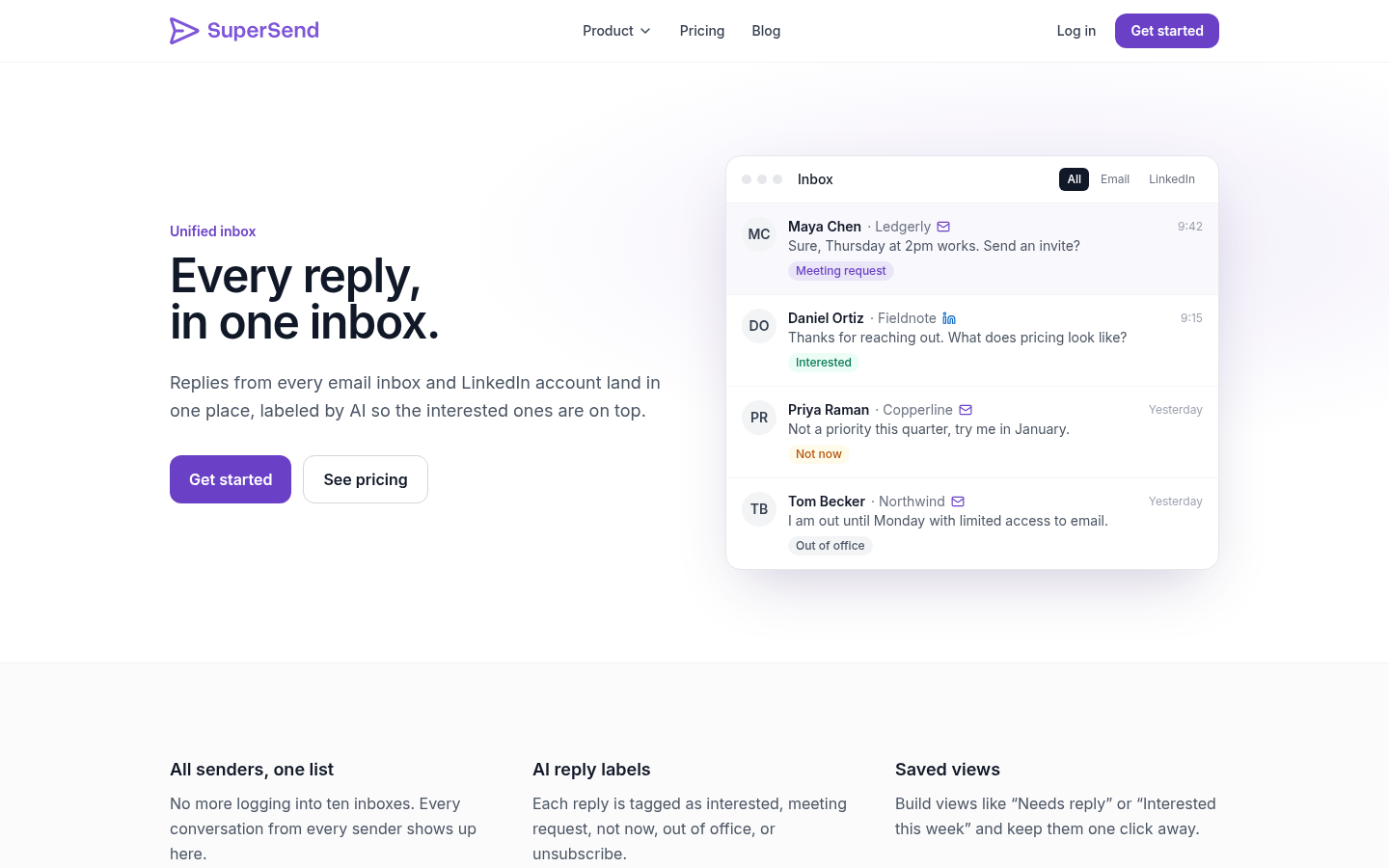
SuperSend is built for any team that needs cold email and LinkedIn together, with email and LinkedIn steps in one sequence on one contact record. Its LinkedIn outreach feature covers profile visits, likes, connection requests with or without a note, a wait-until-connected step that holds the next action until they accept and then sends a LinkedIn message or falls back to email, and per-account daily caps that the user sets and the tool paces across working hours. On the LinkedIn execution question from the table above, SuperSend runs LinkedIn steps from its own servers. There is no browser extension to install and no manual tasks to complete; you connect your LinkedIn account once and the sequence runs it, so nothing depends on your laptop being open. A reply on either channel stops both, and LinkedIn replies land in the same unified inbox as email replies, with AI labels that put interested replies on top.
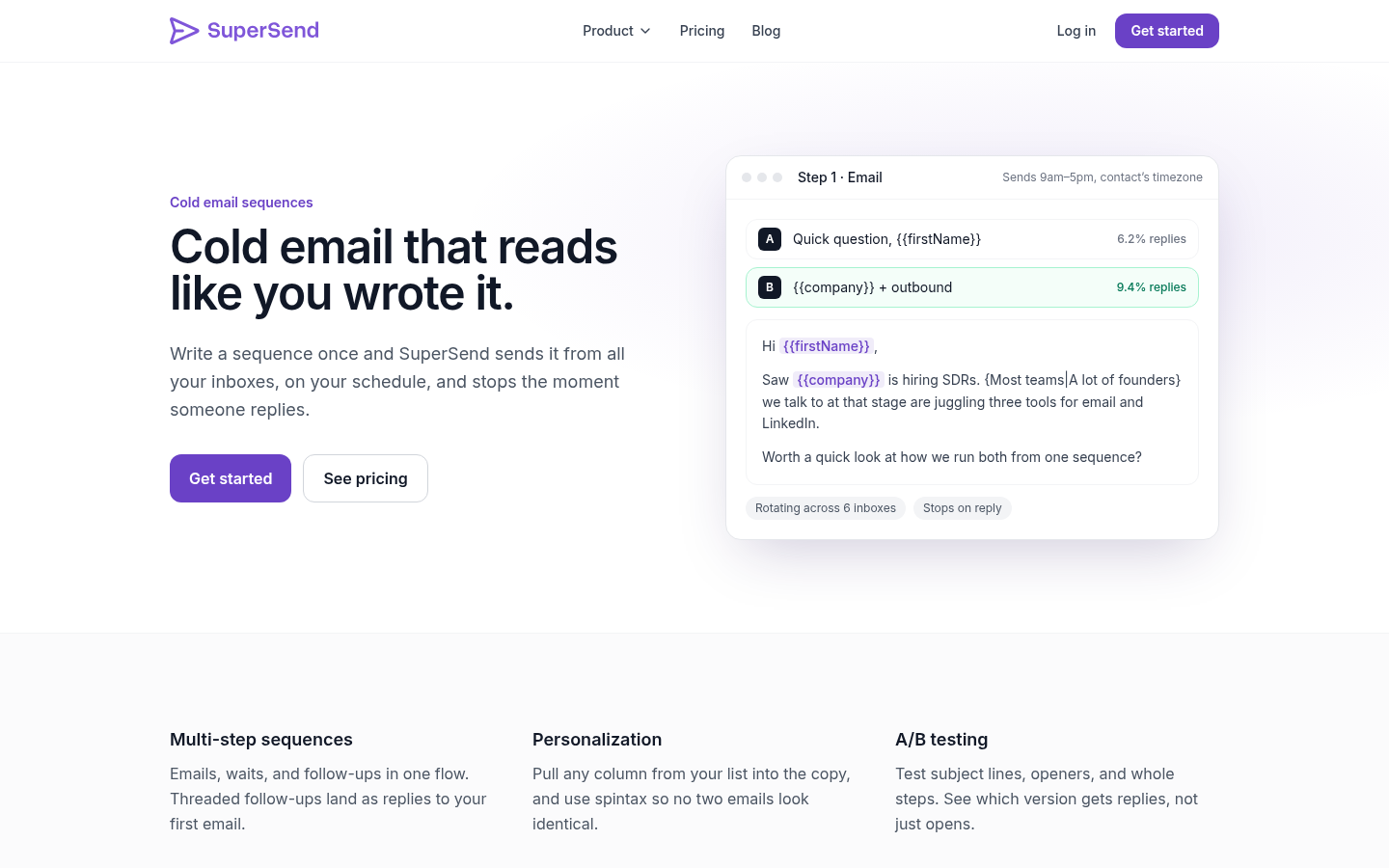
On the billing question, SuperSend prices plans on emails sent, with unlimited contacts on every plan and every feature included in all three. Plans differ only in email volume and the number of LinkedIn senders included, and they start from $59 per month. The full breakdown is on the SuperSend pricing page.
| Plan | Monthly | Yearly | Emails per month | LinkedIn senders included | Overage per extra email (monthly plans) |
|---|---|---|---|---|---|
| Starter | $59 | $600 per year ($50 per month) | 15,000 | 1 | $0.006 |
| Growth | $99 | $1,008 per year ($84 per month) | 50,000 | 2 | $0.004 |
| Scale | $319 | $3,252 per year ($271 per month) | 200,000 | 5 | $0.0025 |
Yearly billing saves about 15%. There is no email-volume add-on; sending past the plan limit on a monthly plan is billed per email at the rates above. Add-ons: extra LinkedIn senders at $29 per month per account, Google or Outlook inboxes bought inside SuperSend at $5 per month per inbox, and domains at $13 per year per domain. Bought inboxes and domains come with SPF, DKIM and DMARC set up. You can also connect your existing Google Workspace or Outlook inboxes at no charge.
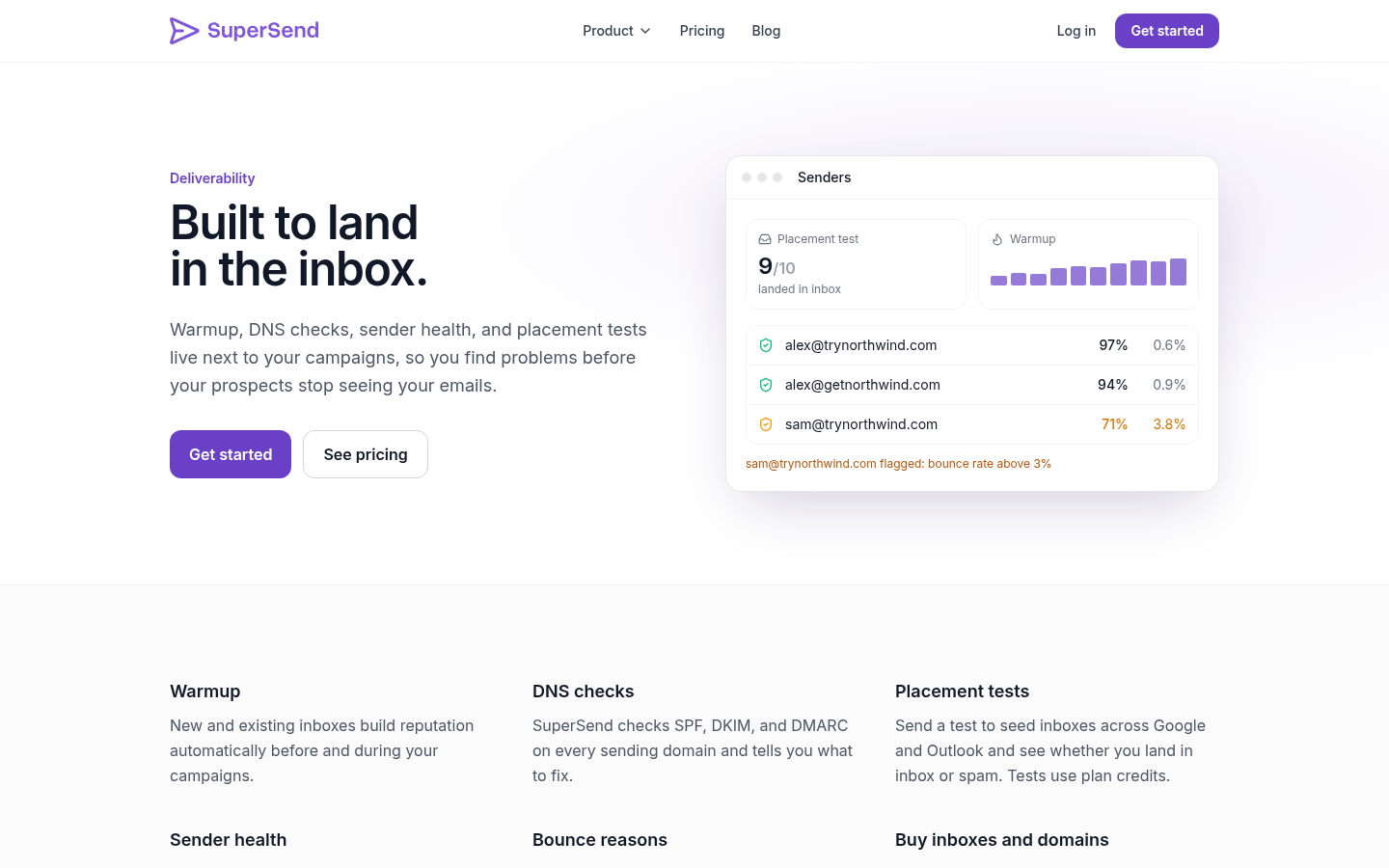
Deliverability monitoring runs next to the campaign on every plan. Warmup runs on every inbox. Each mailbox starts at a default cap of 15 emails per day, adjustable per mailbox. A placement test sends to 10 seed inboxes by default, always including Google and Outlook, and draws 5 plan credits per seed (50 credits for a default test); email validation costs 1 credit per address. A bounce guard pauses a campaign automatically when its invalid-recipient bounce rate goes over 3%, checked after 100 or more sends, with the threshold adjustable per campaign; small campaigns pause after 10 invalid-recipient bounces. Every plan also includes inbox and domain rotation, sender health monitoring, branching on replies, opens and connections, A/B tests and spintax, and HubSpot, Pipedrive, Zapier, Make, API and webhooks.
Signup is free with no card. Launching a campaign or turning on warmup starts a 7-day free trial with a card on file, and you are charged on day 7 unless you cancel first. That is enough time to run the seven-step trial above. If you want to try it, create a free SuperSend account.
Frequently asked questions
Is LinkedIn automation allowed?
LinkedIn's Help Center says it does not allow third-party software or browser extensions that automate activity on its website, and that this violates the User Agreement. If an account is restricted for automated activity, LinkedIn's page says to disable the software and the account is re-enabled at the time shown on the notice. Vendor features that pace or limit activity may make it less conspicuous, but they do not change the policy. Decide with that in mind, keep volume conservative, and use a tool that lets you set caps per account.
Do I need a separate domain for cold email?
Yes. Cold email should never go out from your main company domain, because a damaged reputation there affects every normal email your company sends. Use a separate sending domain with SPF, DKIM and DMARC configured, a few mailboxes on it, and warm those mailboxes before sending at volume. Check whether the tool you are evaluating can set this up for you or expects you to bring it ready-made.
Can one tool run email-only or LinkedIn-only sequences too?
A tool built around one sequence engine should let you use only email steps, only LinkedIn steps, or both in any order. If a vendor's LinkedIn sequences and email sequences are separate products, that is a sign the two channels are not on one record.
Should I compare tools on price per month?
Not directly. Work out your own monthly email volume, the number of LinkedIn accounts your team needs, your contact count and your inbox count, then price each tool against those numbers with every add-on included. Two tools at the same entry price can differ by a factor of three once you add senders or cross a contact cap.
What should stop a sequence?
Any reply, on any channel, including a reply you send by hand from the shared inbox. Test this during the trial with contacts you control rather than taking it on faith. A connection request being accepted should also change what happens next, so the sequence can message on LinkedIn instead of emailing again.
How many emails and LinkedIn touches should one prospect get?
Three or four emails over about two weeks, interleaved with a profile visit, a connection request and one LinkedIn message once connected, is a common shape. The cold email and LinkedIn sequence playbook linked above has a 14-day example you can copy. Fewer, more specific touches beat a longer sequence.