Most cold email advice starts at the visible layer: subject lines, personalization, inbox rotation, follow-up timing, and whether a sequence has enough steps.
Those things matter. But they are not the whole system.
Underneath every outbound campaign is a mail transport layer: the servers that accept messages, route them, identify themselves to receiving providers, and build a reputation over time. That layer is SMTP infrastructure.
For small teams sending a few emails from a normal mailbox, the infrastructure is mostly hidden. Google Workspace or Microsoft 365 handles the sending path. For high-volume outbound teams, the infrastructure becomes the constraint. If the servers, IPs, DNS, authentication, and pacing are wrong, better copy will not fix the underlying problem.
This article explains what SMTP infrastructure is, why it matters for cold email, and what an enterprise outbound team should understand before scaling volume.
What SMTP Actually Does
SMTP stands for Simple Mail Transfer Protocol. It is the internet standard used to send email from one system to another.
The important word is "send."
SMTP is not the protocol your inbox app uses to pull messages into your screen. IMAP and POP are used for retrieving mail. SMTP is the transport protocol that pushes a message toward its destination. Cloudflare's SMTP explainer describes the distinction clearly: SMTP delivers email to a mail server, while separate protocols retrieve that email so the recipient can read it.
In the official SMTP specification, RFC 5321, SMTP clients and servers act as Mail Transfer Agents, or MTAs. Their job is to move mail across the network. A sending system opens a connection, identifies itself, tells the receiving server who the message is from and who it is for, transmits the message data, and then closes the session.
A simplified SMTP transaction looks like this:
- The sending system opens a connection to a mail server.
- It says hello using
HELOorEHLO. - It declares the envelope sender with
MAIL FROM. - It declares recipients with
RCPT TO. - It sends the message content with
DATA. - It closes the session with
QUIT.
That is the protocol-level version of "send this email."
But sending one email and running a high-volume outbound program are very different problems.
What SMTP Infrastructure Means
SMTP infrastructure is the full sending system around the protocol. It is not just "an SMTP server." It includes the mail servers, IP addresses, DNS records, authentication, routing, volume controls, monitoring, and operational rules that make sending possible.
For cold outbound, SMTP infrastructure usually includes:
- Mail servers that submit, transfer, or relay email.
- Mail Transfer Agents that route messages toward the recipient domain.
- Dedicated or shared IP addresses that receiving providers associate with sending behavior.
- Sending domains and subdomains used in envelope, header, tracking, and authentication paths.
- DNS records such as MX, A/AAAA, PTR, SPF, DKIM, and DMARC.
- TLS support so mail can be transmitted over encrypted connections where supported or required.
- Pacing and throttling so new infrastructure does not suddenly send large bursts with no history.
- Bounce, complaint, block, and placement monitoring so operators can see when a path is degrading.
That is why SMTP infrastructure is better understood as a sending environment, not a single server setting.
The Mail Server Pieces
Email systems use a few different server roles. The names can get technical, but the model is simple.
Mail Submission Agent
A Mail Submission Agent, or MSA, accepts mail from the sending application or email client. In a normal business inbox setup, this is the server your email client submits to when you click send.
For cold outbound software, this may be a connected mailbox provider, a relay, or a dedicated submission path.
Mail Transfer Agent
A Mail Transfer Agent, or MTA, moves mail between servers. It looks at the recipient domain, checks DNS, and routes the message toward the next hop.
Cloudflare's SMTP explainer describes the MTA as the software that checks the recipient domain and can query DNS to find where the mail should go. RFC 5321 also describes how SMTP systems locate target hosts using MX records.
Mail Delivery Agent
A Mail Delivery Agent, or MDA, is involved at the receiving side. It stores mail in the recipient's mailbox after the message reaches the destination provider.
Outbound teams usually care most about the first two layers: submission and transfer. Those are the layers that determine how their messages leave their environment and how receiving systems see them.
DNS Is Part of the Infrastructure
Mail servers do not operate in isolation. They depend heavily on DNS.
The most obvious DNS record is the MX record. MX stands for Mail Exchange. It tells other mail systems which servers accept mail for a domain. RFC 5321 describes MX records as a normal way for SMTP systems to locate the target host for mail delivery.
For outbound infrastructure, other records matter too:
- A and AAAA records connect hostnames to IP addresses.
- PTR records connect IP addresses back to hostnames through reverse DNS.
- SPF records tell receivers which servers are authorized to send for a domain.
- DKIM records publish public keys used to verify message signatures.
- DMARC records tell receivers how to evaluate alignment between the visible From domain and SPF or DKIM results.
Google's Email sender guidelines are a useful reality check here. They require all senders to set up SPF or DKIM, require bulk senders to set up SPF, DKIM, and DMARC, and call out valid forward and reverse DNS records for sending domains or IPs.
The same Google guidance says the public IP address of a sending SMTP server should have a PTR record that resolves to a hostname, and that hostname should resolve back to the same public IP address through an A or AAAA record.
That is infrastructure. It is not copywriting. It is not a sequence setting. It is the technical identity of the sending path.
IP Reputation Still Matters
Modern deliverability is not only IP reputation. Domain reputation, authentication, complaint rates, recipient engagement, content, list quality, and provider-specific rules all matter.
But IP reputation still matters, especially when you operate SMTP or dedicated sending paths.
Google is explicit about this in its email sender guidelines: the activity of any senders using a shared IP address affects the reputation of all senders for that shared IP address. A negative reputation can affect delivery rate. Google also notes that Gmail tracks volume, feedback, and limits per domain and IP address.
AWS makes a similar point in its Amazon SES dedicated IP documentation. By default, SES sends from shared IP addresses. Dedicated IPs are reserved for one sender's use, giving that sender more control over reputation and the ability to isolate reputation by segment. AWS also notes that IP reputation is based largely on historical sending patterns and volume, and that an IP with a consistent history of sending email tends to have a better reputation than one that suddenly starts sending large volume with no history.
That last point is critical for cold email teams.
A dedicated IP is not magic. It does not make poor sending behavior safe. It gives you isolation and control. You still have to warm it, pace it, monitor it, and keep the traffic quality healthy.
Shared vs Dedicated Sending Paths
Many outbound teams start on shared infrastructure without realizing it.
Shared infrastructure can be useful because it is easy to start. The sending provider manages much of the underlying system, and the sender does not have to think about mail servers, IP pools, or warmup at the same level.
The tradeoff is control.
On a shared IP, your mail is not the only mail shaping that IP's reputation. A reputable provider will manage abuse and traffic quality, but the path is still shared. If the provider's pool has problems, or if your use case does not fit the provider's intended sending pattern, you have limited control over the pipe.
Dedicated infrastructure gives you a clearer operational boundary:
- Your IP reputation is not blended with unrelated senders.
- You can isolate traffic by program, region, customer segment, or use case.
- You can build a more predictable sending pattern.
- You can monitor failures against a known set of servers, IPs, domains, and sender identities.
The tradeoff is responsibility.
Dedicated infrastructure has to be managed. New IPs and domains need controlled ramping. DNS needs to be correct. Bounces, complaints, blocks, and placement need to be watched. Sending too much too quickly can damage the very reputation you are trying to build.
For serious outbound programs, that responsibility is often worth it because the alternative is operating a revenue channel on infrastructure the team cannot fully see or control.
Why This Matters Specifically for Cold Email
Cold email is harder on infrastructure than many other email categories.
Transactional email usually goes to users who just signed up, requested a password reset, bought something, or triggered a product workflow. Marketing email should go to opted-in subscribers. Cold outbound is different: recipients may not know the sender, engagement is less predictable, and complaint risk is higher if targeting or messaging is weak.
That makes the sending path more important.
At low volume, a team can sometimes get away with fragile infrastructure. At high volume, the weaknesses show up:
- Sending domains pick up negative reputation.
- IPs or mailboxes hit provider limits.
- Authentication breaks after a domain or provider change.
- Reverse DNS is missing or mismatched.
- Bounce rates climb because lists are stale or poorly validated.
- Placement starts diverging by provider, with Gmail, Outlook, Yahoo, and private business domains behaving differently.
- Operators cannot tell whether the problem is copy, list quality, domain reputation, IP reputation, or the route itself.
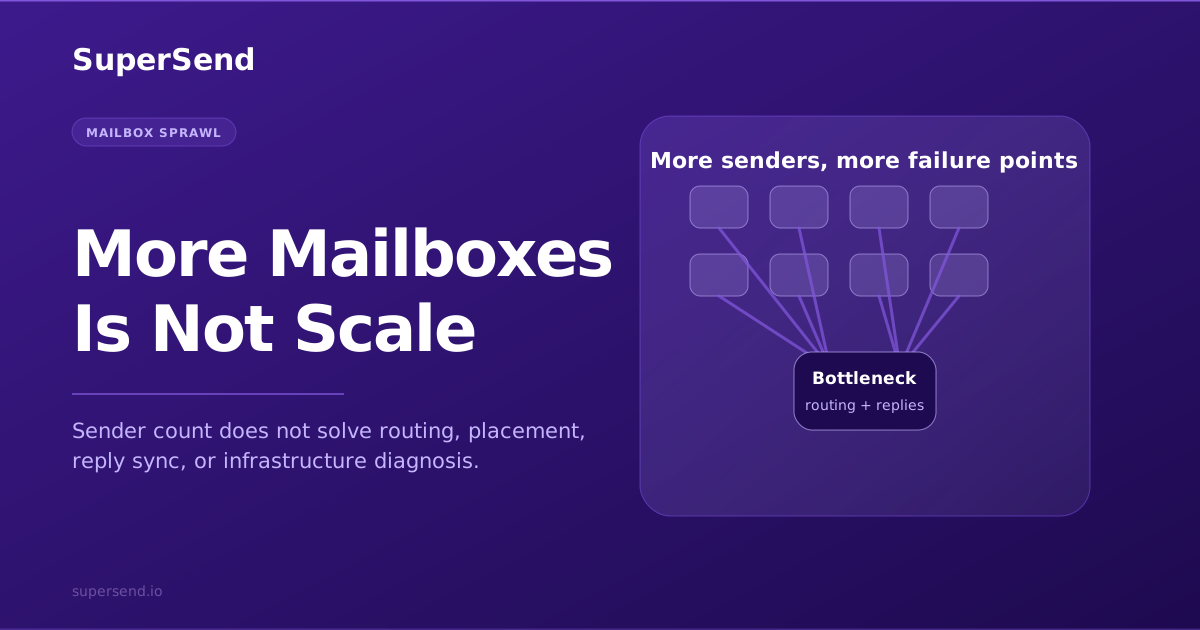
This is why enterprise cold outbound cannot be reduced to "use more inboxes."
More senders only help if the underlying infrastructure is healthy. Otherwise, a team is just spreading bad sending behavior across more identities.
What Good SMTP Infrastructure Looks Like
A serious outbound infrastructure setup should be understandable at a glance. The team should know what is sending, where it is sending from, how it is authenticated, how volume is paced, and how failure is detected.
At minimum, a good setup should include:
1. Clear Sending Domains
Sending domains should be intentionally chosen and configured. They should not be random throwaway domains with no relationship to the business. They also should not be mixed carelessly across different traffic types.
The goal is clarity: which domains send which mail, through which servers, under which authentication rules.
2. Correct Authentication
SPF, DKIM, and DMARC should be set up and maintained. This is now table stakes, not an advanced deliverability trick.
Google's sender guidelines require SPF or DKIM for all senders to Gmail accounts and SPF, DKIM, and DMARC for senders above its bulk threshold of more than 5,000 messages per day to Gmail accounts. Google also says unauthenticated messages may be marked as spam or rejected.
For enterprise outbound, authentication should be checked every time infrastructure changes.
3. Valid Forward and Reverse DNS
The sending IP should map to a hostname, and the hostname should map back to the same IP. This is the PTR plus A/AAAA relationship Google describes in its infrastructure requirements.
Missing or mismatched reverse DNS is one of those basic infrastructure mistakes that can make a sending path look sloppy before the content is even evaluated.
4. Dedicated or Well-Managed IP Strategy
The team should know whether it is sending through shared IPs, dedicated IPs, mailbox provider infrastructure, or a blend.
Dedicated IPs make the most sense when there is enough consistent volume to build and maintain reputation. AWS notes that dedicated IPs are suited for large-volume senders and require warmup and consistent sending patterns. Shared IPs can be better for lower or less predictable volume because the provider is managing the pool.
The right answer depends on volume, pattern, risk tolerance, and operational maturity.
5. Controlled Ramp and Pacing
New infrastructure should not go from zero to full production volume overnight.
Warming is not folklore. It is reputation building. AWS describes dedicated IP warmup as gradually increasing the amount of email sent each day, and notes that sudden large volume with no sending history is worse for reputation than consistent history.
For cold outbound, pacing should happen at multiple levels:
- Per sender
- Per domain
- Per IP or server
- Per recipient provider
- Per campaign or segment
6. Bounce and Complaint Visibility
If a team cannot see bounces and complaints, it cannot operate responsibly.
Bounce categories show whether the issue is invalid addresses, temporary throttling, blocks, authentication problems, or receiving-domain policy. Complaint signals show whether recipients are rejecting the mail experience.
Google recommends keeping spam rates reported in Postmaster Tools below 0.10% and avoiding 0.30% or higher. Even if a cold outbound team cannot see every provider's complaint data, the principle holds: complaints are reputation data, not just campaign analytics.
7. Placement and Provider-Level Monitoring
It is not enough to know that mail was "sent."
Sent only means the outbound system attempted delivery. The operational question is where the message landed and which providers are degrading. Gmail may behave differently from Microsoft. Yahoo may behave differently from private business domains.
Placement tests are snapshots, not guarantees, but they are useful when paired with authentication checks, bounce data, complaint trends, and volume history.
Common Misunderstandings
"SMTP means deliverability is solved"
No. SMTP is the transport protocol. It moves mail. It does not guarantee inbox placement.
Deliverability depends on the quality and reputation of the entire sending system: identity, authentication, infrastructure, volume pattern, list quality, content, complaints, and recipient behavior.
"Dedicated IPs automatically perform better"
Not always.
Dedicated IPs give you isolation and control. They also make your behavior more directly visible. If your traffic is inconsistent, low quality, or poorly paced, a dedicated IP can expose that faster.
"More domains fix infrastructure problems"
More domains can increase capacity only when they are configured, warmed, and monitored correctly. If the core process is broken, adding domains multiplies the failure modes.
"The sequencer is the infrastructure"
A sequencer schedules and automates campaigns. Infrastructure is the sending path that carries those campaigns. Some platforms bundle parts of both, but they are still different jobs.
Enterprise teams should understand both layers.
Where SuperSend Fits
SuperSend's enterprise motion is built around a simple belief: serious cold outbound needs dedicated infrastructure, not just another sequence builder.
The sequencer matters because teams need to run campaigns, manage follow-ups, and coordinate replies. But the sequencer has to sit on top of a healthy sending system: dedicated servers and IPs, sender identities, DNS, monitoring, placement visibility, and operational controls.
That is the difference between sending email as a feature and treating outbound as infrastructure.
If your team is sending at low volume, you may not need to think about every layer yet. If your team is scaling cold outbound into a real acquisition channel, you eventually have to ask harder questions:
- What servers and IPs are actually sending our mail?
- Are we on shared or dedicated infrastructure?
- Are SPF, DKIM, DMARC, and reverse DNS configured correctly?
- How are we warming and pacing new sending paths?
- Can we see bounces, complaints, and placement by sender/provider?
- Can our RevOps or engineering team automate the system instead of managing everything by hand?
Those are infrastructure questions. They are also the questions that separate casual cold email from enterprise outbound operations.
Further reading
Free playbook · 11 pages
Want the full cold email infrastructure playbook?
Get the founder breakdown on why rented mailbox stacks are breaking and what dedicated cold email infrastructure looks like now.