Enterprise cold email is not just a bigger version of a small outbound motion.
At low volume, a team can survive on a few inboxes, manual checks, and spreadsheet logic. At enterprise volume, the weak points become expensive. Bad DNS breaks sending. One overused sender can poison a domain. A noisy shared IP can create confusion. A sudden volume jump can trigger throttling. Replies can get scattered across too many identities to manage.
The right question is not "how many emails can we send?"
The right question is "what does our outbound run on, and can we operate it safely?"
Use this checklist before scaling cold email into a serious acquisition channel.
1. Define the Sending Job
Start by separating email types.
Cold outbound, transactional email, customer notifications, newsletters, and lifecycle marketing should not be treated as the same infrastructure problem. They have different recipient expectations, complaint risks, and operational requirements.
Yahoo's sender best practices recommend segregating email types by IP or DKIM domain, and specifically warn against sending bulk or marketing email from the same IPs used for user mail, transactional mail, alerts, and similar traffic.
For enterprise outbound, define:
- What traffic is cold outbound
- What traffic is transactional or customer-facing
- Which domains carry which traffic
- Which servers and IPs carry which traffic
- Which team owns each path
If every email type shares the same reputation story, one bad motion can harm another.
2. Inventory Servers, IPs, Domains, and Senders
You cannot manage infrastructure you cannot name.
Create a simple inventory:
- Sending domains
- Subdomains
- Sender identities
- SMTP servers or relays
- Dedicated IPs
- Shared IP paths
- Tracking and redirect domains
- Warmup state
- Daily capacity
- Owner or responsible team
This inventory should be updated when domains are added, IPs are changed, servers are rotated, or provider connections are modified.
The goal is operational clarity. If placement drops tomorrow, you should know which identity sent the mail and which path carried it.
3. Verify SMTP and DNS Basics
SMTP is the protocol used to move mail between systems. RFC 5321 describes SMTP clients and servers as Mail Transfer Agents, or MTAs, and describes MX records as a normal way to locate target hosts for delivery.
For enterprise outbound, the protocol basics show up as practical DNS checks:
- MX records for domains that receive mail
- A or AAAA records for hostnames
- PTR records for reverse DNS on sending IPs
- SPF records for authorized senders
- DKIM records for message signing
- DMARC records for domain alignment and policy
Google's email sender guidelines require sending domains or IPs to have valid forward and reverse DNS records. Google says the public IP address of a sending SMTP server should have a PTR record that resolves to a hostname, and that hostname should resolve back to the same public IP address through an A or AAAA record.
This is not optional polish. It is part of the sending identity.
4. Authenticate Every Sending Domain
Authentication is table stakes.
Google requires all senders to Gmail accounts to set up SPF or DKIM, and requires bulk senders above 5,000 messages per day to Gmail accounts to set up SPF, DKIM, and DMARC. Yahoo also requires or recommends SPF, DKIM, and DMARC for bulk senders.
Check:
- SPF includes all authorized senders and avoids stale providers.
- DKIM is enabled for every sending domain.
- DMARC exists and aligns with either SPF or DKIM.
- The visible From domain matches the domain strategy.
- Reports are monitored where possible.
Authentication does not guarantee inbox placement, but missing authentication can cause rejection, spam placement, or trust loss before the content is evaluated.
5. Decide Shared vs Dedicated IP Strategy
Shared infrastructure is easier to start with. Dedicated infrastructure gives more isolation and control.
Amazon SES documentation says shared IPs are ready to use immediately and can fit lower-volume or less predictable sending. Dedicated IPs provide reputation isolation, control over sender reputation, and the ability to isolate reputation by email type, recipient, or other factors.
For enterprise cold outbound, document:
- Which IPs are shared
- Which IPs are dedicated
- Which traffic type each IP carries
- Whether dedicated IPs are warmed
- Whether sending patterns are predictable enough to maintain reputation
- Which monitoring signals attach to each IP or pool
Dedicated IPs are not automatically better. They are better when the team has enough volume and discipline to build a clean reputation.
6. Ramp Volume Gradually
Sending volume is not just a throughput number. It is a reputation signal.
Google recommends increasing volume slowly, starting with low sending volume, avoiding bursts, and monitoring server responses, spam rate, and domain reputation as volume grows. Google also says that sudden volume increases can result in rate limiting or reputation drops.
AWS makes a similar point for dedicated IPs: an IP with a consistent sending history typically has a better reputation than one that suddenly starts sending large volume with no prior history.
Your ramp plan should define:
- Starting volume by sender, domain, IP, and provider
- Daily or weekly increase rules
- Maximum caps
- Stop conditions
- Recovery steps if bounces, deferrals, or spam placement increase
If the plan is "turn it on and see what happens," you do not have an enterprise sending plan.
7. Monitor Bounces, Deferrals, and SMTP Errors
Bounces and deferrals are not just campaign analytics. They are infrastructure signals.
Track:
- Hard bounces
- Soft bounces
- Deferrals
- Blocks
- Authentication failures
- Provider-specific SMTP responses
- Sudden changes by domain or sender
Google advises reducing sending volume when messages start bouncing or being deferred, then increasing slowly again after SMTP error rates decrease.
That is an operating rule worth adopting: when the receiving side shows stress, reduce pressure before trying to scale again.
8. Watch Complaints and Engagement Quality
Cold outbound lives or dies on recipient tolerance.
Google recommends keeping spam rates reported in Postmaster Tools below 0.10% and avoiding 0.30% or higher. Yahoo's sender guidance also uses 0.3% as a key complaint-rate threshold for bulk senders.
For cold outbound, complaint data is not always complete across every provider. But you should still monitor every signal available:
- Spam complaint data where available
- Unsubscribes
- Negative replies
- Bounce patterns
- Placement degradation
- Sender-level health changes
- Segment-level performance
If a list segment creates complaints or negative replies, the answer is not more infrastructure. The answer is better targeting, cleaner data, or lower pressure.
9. Test Placement by Provider
"Sent" does not mean "inboxed."
Placement testing gives a snapshot of where a message lands across seed accounts. It is not a guarantee of future performance, but it is useful when paired with authentication, bounce, complaint, and reputation trends.
Your monitoring should distinguish between major provider families:
- Gmail / Google Workspace
- Microsoft / Outlook / Microsoft 365
- Yahoo / AOL
- Private business domains
Provider divergence is normal. A path can look healthy in one ecosystem and weak in another. Enterprise outbound needs enough visibility to diagnose that difference.
10. Centralize Reply Operations
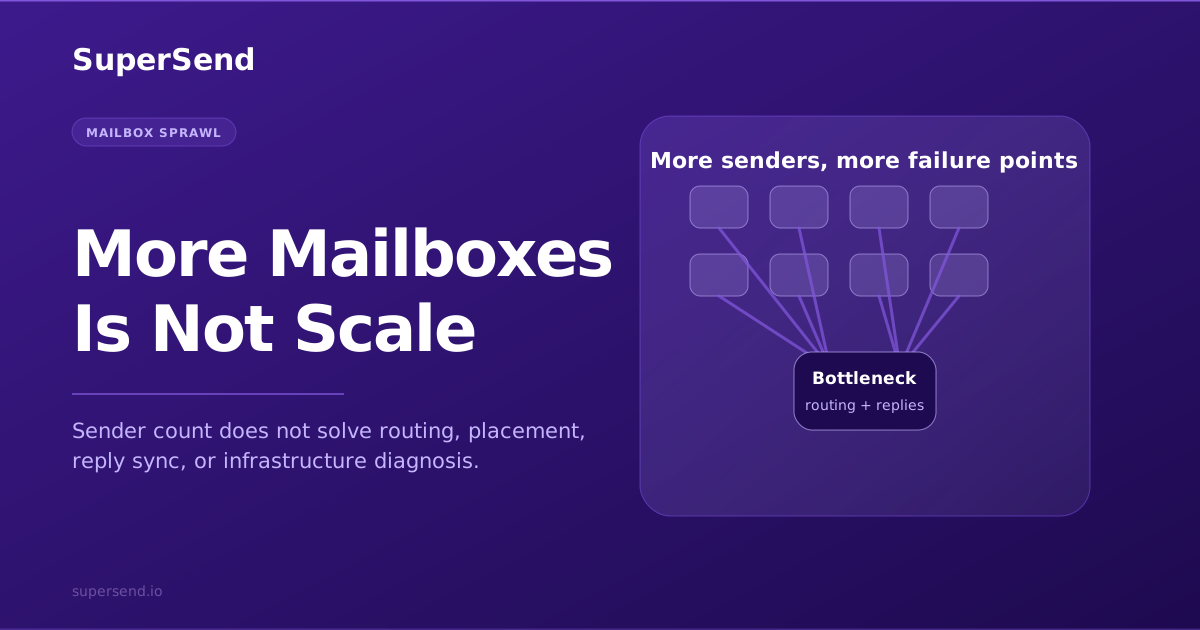
As sender count grows, reply management becomes an infrastructure problem too.
If replies are scattered across many inboxes, your team will miss interested buyers, fail to process objections, and lose visibility into negative signals.
A serious outbound system should centralize:
- Positive replies
- Out-of-office replies
- Unsubscribes
- Bounce-related replies
- Objections
- Internal handoff workflows
This is where Super Inbox matters in the SuperSend platform: it turns many sender identities into one reply operation instead of forcing a team to check dozens or hundreds of inboxes manually.
11. Require API and Webhook Control
Enterprise teams rarely want a black box.
RevOps and engineering teams need programmatic ways to create campaigns, manage contacts, inspect sender state, sync CRM data, process events, and automate workflows. SuperSend's documented REST API and webhooks are an enterprise proof point because they let teams operate outbound from their own systems, not only from a dashboard.
Before choosing infrastructure, ask whether your team can automate:
- Campaign and sequence operations
- Contact import and updates
- Sender and sender profile management
- Managed domains or mailboxes
- Placement tests and validation
- Webhook-driven reporting and internal alerts
If outbound is important enough to run at scale, it is important enough to integrate.
12. Define Stop Conditions
Every infrastructure plan should include stop conditions.
Examples:
- Bounce rate exceeds a threshold
- Complaint rate increases
- A domain's placement drops below an acceptable level
- A provider starts deferring mail
- A sender health score degrades
- A new IP or domain fails authentication checks
- A campaign segment produces negative feedback
The point is not to be timid. The point is to avoid turning a recoverable signal into a damaged reputation.
The Short Checklist
Before scaling, confirm:
- Sending jobs are separated by use case.
- Domains, senders, servers, and IPs are inventoried.
- SPF, DKIM, DMARC, PTR, A/AAAA, and MX records are correct.
- Shared vs dedicated IP strategy is explicit.
- New infrastructure has a ramp plan.
- Volume caps exist by sender, domain, IP, and provider.
- Bounces, deferrals, complaints, and placement are monitored.
- Replies are centralized.
- API/webhook access exists for operations.
- Stop conditions are defined before launch.
That is the infrastructure foundation for enterprise cold outbound.
Where SuperSend Fits
SuperSend combines the outbound sequencer with dedicated email infrastructure, deliverability monitoring, Super Inbox, and REST API control.
That matters because enterprise cold outbound is not one feature. It is a system: senders, servers, IPs, domains, campaigns, replies, signals, and automation.
The checklist above is what serious teams eventually need to operate.
SuperSend is built so they do not have to assemble it from disconnected tools.
Further reading
Free playbook · 11 pages
Want the full cold email infrastructure playbook?
Get the founder breakdown on why rented mailbox stacks are breaking and what dedicated cold email infrastructure looks like now.