Whether your email lands in the inbox is part of the campaign. It is not a chore you hand to a separate tool and forget about. An email warmup tool is one piece of that work. It builds a sending history for a mailbox before cold email goes out. Authentication, list checks and placement tests matter just as much, and they all need to sit next to the send. The failure this page is meant to prevent is a common one: you launch to your whole list, nobody replies, and only weeks later do you learn your mail went to spam.
What an email warmup tool actually does
A new mailbox on a new domain has no history. Gmail and Outlook have nothing to judge it by. When that mailbox suddenly sends hundreds of messages to strangers, it looks exactly like a spammer. A warmup tool gives the mailbox a history first. Ranking guides describe the job in similar terms. Here are its parts:
- Gradual volume. The tool sends a few emails a day from your mailbox and raises the count slowly. Onsaas describes daily increases of 2 to 10 emails. Tomba describes starting at 5 to 10 sends a day and climbing past 40 over three to four weeks.
- Two-way engagement. Your messages go to a network of other inboxes. Those inboxes open them, reply, and mark them as important.
- Spam rescue. If a warmup message lands in spam or promotions, the receiving inbox moves it to the main inbox. That teaches the filter your mail belongs there.
- Monitoring. Most tools track a health or deliverability score and flag authentication or blacklist problems.
- Maintenance. Several guides say warmup should keep running after launch. lemwarm puts it bluntly: if you stop, reputation drops.
None of this fixes broken DNS. Onsaas and Tomba both make the same point: SPF, DKIM and DMARC have to be correct first, or warmup does nothing. That is step zero.
How long warmup takes: what different guides say
There is no single agreed number, so here is what each source gives.
| Source | Ramp or duration | When they call a mailbox ready |
|---|---|---|
| lemwarm's homepage FAQ | About 4 weeks of warmup, then 2 more weeks before real campaigns | After that 6-week window, with warmup left running |
| Tomba's warmup guide | 5 to 10 sends a day, rising to 40+ over 3 to 4 weeks | At the end of the 3 to 4 week ramp |
| Onsaas's warmup guide | Volume rises by 2 to 10 emails a day | Once the account passes a 90% health score |
| E-Warmup's seven-platform test | Placement measured on Day 14, Day 30 and Day 45 | Above 90% primary-inbox placement |
E-Warmup's article says openly that E-Warmup built one of the platforms it tested, so read its numbers with that in mind. The pattern across all four sources is still useful. Expect weeks, not days. Most sources measure readiness with a score or a placement rate, not a date on the calendar.
Does warmup actually work?
Warmup helps, with limits.
Warmup builds reputation with mailbox providers. It cannot make a real recipient want your email. Suppose a warmed mailbox sends untargeted mail to people who never asked for it. Those people ignore it or report it as spam. Real complaints outweigh simulated engagement, and reputation that took weeks to build can drop in days.
The warmup network's own quality also matters. In some tools, the pool is made of other customers' mailboxes warming each other. If many of those mailboxes have poor reputations, trading mail with them does little for yours. Mailbox providers also look for artificial patterns. E-Warmup's article names fixed seed lists, predictable schedules and bot-generated opens as signs that are getting easier to detect.
Could you build your own? In principle, yes. You would need a set of mailboxes with good reputations, a scheduler that ramps volume, and automation that opens, replies to and rescues messages. Getting those mailboxes and keeping them healthy is the hard part, and that is what a warmup tool sells.
When warmup is the move, and when it is not
Warm up when:
- You bought a new domain or created new mailboxes for cold outreach.
- A mailbox has been unused for a long stretch and you are about to send from it again.
- You are adding mailboxes to send more volume, rather than pushing more mail through the mailboxes you already have.
- Placement on an existing mailbox has started slipping and you want to rebuild before the next send.
Warmup is not the fix when:
- Your DNS is wrong. Missing or misconfigured SPF, DKIM, DMARC or MX records will sink a warmed mailbox. Fix those first.
- Your list is the problem. Invalid addresses cause bounces, and bounces damage reputation no matter how long you warmed. Verify the list.
- Your content is the problem. Spam trigger words, too many links, or an offer nobody asked for will still get filtered or reported.
- The domain is already burned. If a domain sits on blacklists after a bad campaign, it is often faster to start a clean domain than to warm the old one back.
The cold email deliverability checklist walks through each of these checks in order.
A first-week example
Here is a founder who just bought a sending domain and created three mailboxes on it. This is what their first week looks like. Notice that no campaign goes out during this week. That is deliberate.
Day 0: set up the foundation. Publish SPF, DKIM and DMARC records for the new domain and confirm the MX records point at the mail provider. Run the domain through a free deliverability test to confirm the records resolve and the domain is not on a blacklist. If you have not split outreach onto its own domain yet, the guide to setting up domains and inboxes covers that decision.
Day 1: turn warmup on for all three mailboxes. Use the tool's default ramp. Do not raise volume to save time, because a sudden spike is the exact signal you are trying to avoid.
Days 2 to 4: prepare the campaign without sending it. Verify the prospect list and remove invalid addresses. Write the sequence and check the copy for spam trigger words. Decide how many emails each mailbox will send per day once you launch.
Days 5 to 6: watch the dashboard. Look at the health score, at where warmup messages are landing, and for any authentication or blacklist alerts. A problem you find now costs nothing. The same problem found after launch costs you the list.
Day 7: run a placement test. Send a test message to seed inboxes across Gmail and Outlook and see where it lands. Treat the result as a checkpoint, not a green light. Going by the timelines in the table above, most mailboxes need several more weeks before a real campaign.
The founder ends the week with three warming mailboxes, a verified list, a finished sequence, and a first placement reading. They also have zero prospects who received mail from a cold domain.
What to look for in a warmup tool
- Pool quality over pool size. Ask who owns the inboxes in the network and how they are vetted.
- Provider coverage. The tool should warm Google Workspace and Microsoft 365 at minimum, since most cold email is sent from those two.
- Placement testing. A score is a summary. A placement test shows where your mail actually lands.
- Guardrails on the live campaign. Warmup protects the mailbox before launch. Bounce monitoring and send caps protect it after launch.
- Where it lives. A warmup tool that sits apart from your sequencer means two dashboards and two invoices. It also means you learn about deliverability problems somewhere other than where you send.
For named tools side by side, see the comparison of email warmup tools.
Warmup next to the send button
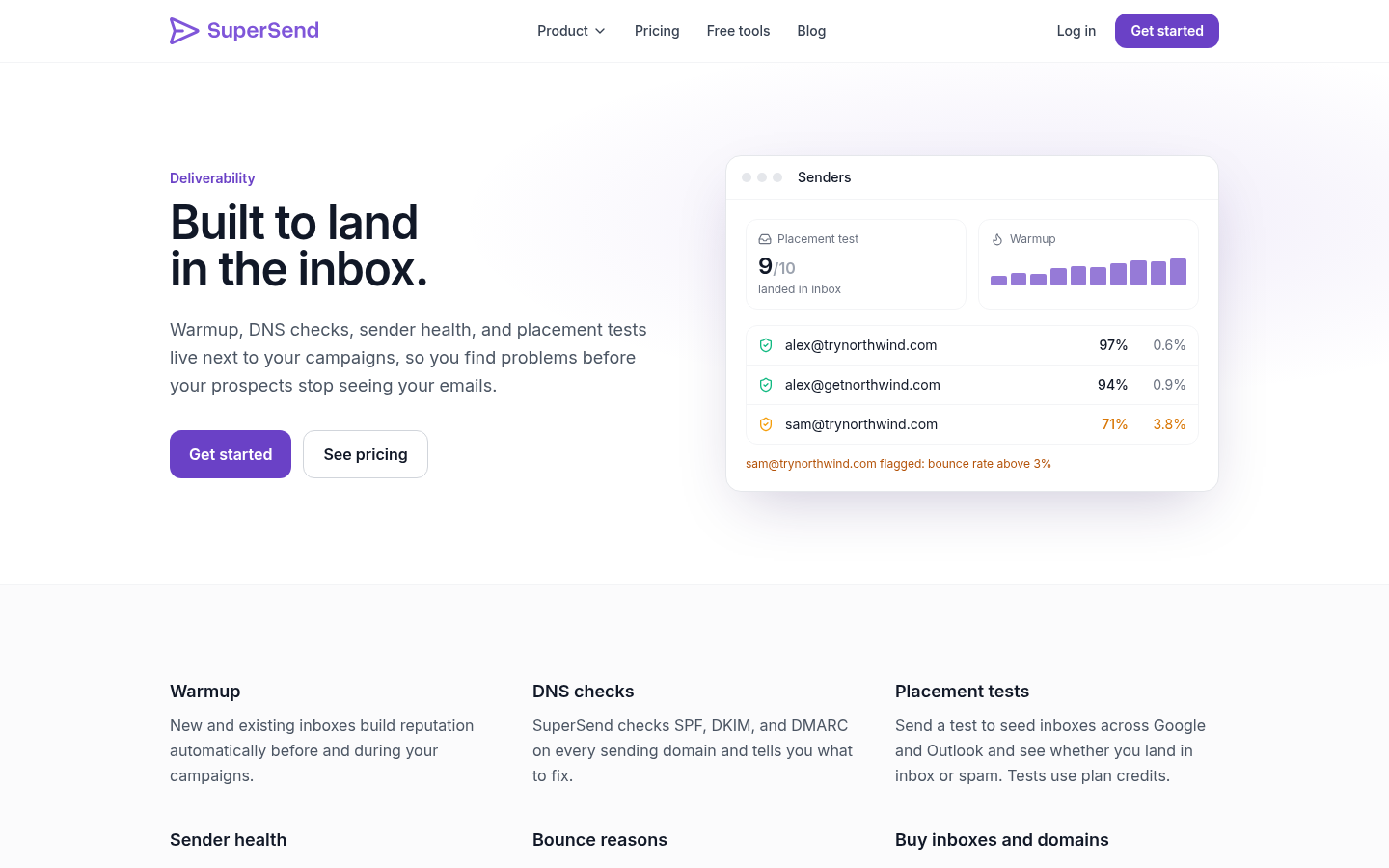
SuperSend puts warmup and the campaign in the same place. Warmup is included on every plan, and plans start at $59/mo. Before a campaign starts, you can run a placement test against 10 seed inboxes that always include Google and Outlook. Once it is live, a bounce guard pauses any campaign whose invalid-recipient bounce rate goes over 3% after 100 sends. Each mailbox also has a default cap of 25 emails a day, which you can adjust per mailbox. Inboxes and domains you buy inside SuperSend come with SPF, DKIM and DMARC already set up.
Signup is free and needs no card. Turning on warmup starts a 7-day free trial. If you are about to warm your first mailbox, create your SuperSend account and start it next to the campaign it is meant to protect.