A subject line tester gives you a number. The problem is what the number measures. Every tester in this comparison scores or previews for opens, and for a newsletter that is the right target. For cold outbound it is not. The metric that matters when you email a stranger is who replied and whether they were interested, not who opened, and a subject line that wins on opens can lose on replies if it reads like a promotion. This comparison covers the five testers people ask about most, what each one actually checks according to its own page, what it costs, and when to trust it. If you want to check a line right now, the free subject line tester runs without a signup; come back here to decide what the result means.
Who this is for
Two kinds of readers end up searching for a subject line tester. Marketers sending to an opted-in list want higher open rates on campaigns, and the graders built by email marketing platforms were designed for them. Founders and small sales teams sending cold email want a line that gets a reply from someone who has never heard of them, and most graders were not built with that case in mind. The tools below serve both, but not equally, and the pick at the end splits by which one you are.
What to judge a tester on
Four things separate a useful tester from a toy:
- What it checks. Some tools preview truncation on a phone screen. Some count characters and flag spam words. Some assign a score built on a word bank. These are different jobs, and a tool that does one well is better than a tool that gestures at all three.
- Whether it tells you why. A score without the reasons behind it cannot improve your next draft.
- What it costs and whether you need an account. A free page you can paste into beats a feature locked inside a platform you would otherwise not pay for.
- Whose inbox it imagines. Omnisend's sample lines are holiday promotions. Nothing on its page claims to model a reply from a CFO, and you should not read its score as if it did.
The five testers side by side
Each row reads from that tool's own page, as of October 2026.
| Tool | What its page says it checks | Cost | Where it lives |
|---|---|---|---|
| ZURB TestSubject | How sender name, subject line and pre-header text display on iPhone 6, iPhone 6 Plus and Samsung Galaxy Note 5 | Listed as a free tester by Email Vendor Selection | Standalone page in ZURB's Playground; footer reads 1998 to 2020 |
| Omnisend Subject Line Tester | Scores "open rate potential" with instant feedback; ships sample lines scored 83% to 100% by category (Black Friday, abandoned cart, welcome, win-back) | Free | Standalone page in Omnisend's tools hub, with an AI subject line generator next to it |
| CoSchedule Email Subject Line Tester | Overall score from length, keywords and character count; word balance across common, uncommon, emotional and power words; skimmability and sentiment; version history of past lines | Free | Standalone page; deeper optimization offered in Headline Studio |
| Mailchimp | Subject line help sits inside the marketing platform; Mailchimp's AI tools page says its recommendations are "grounded in your store's real sales, campaigns, and customer behavior" and that features vary by plan | Free plan under 250 contacts (500 emails a month or 250 a day); Standard from $20/month after a 14-day trial; Premium $350/month for 12 months on 10,000+ contacts | Inside a Mailchimp account |
| SuperSend free tester | Previews the line on phone and desktop; checks length, spam words, caps and personalization | Free, no signup | Standalone page in the free tools index |
1. ZURB TestSubject
TestSubject does one thing: paste a sender name, a subject line and pre-header text, and it renders them the way three phones would show them. ZURB's page is candid that the tool exists because truncated subject lines produce "sometimes hilarious but frequently disastrous results," and the previews make that failure visible before you send. The devices it previews are the iPhone 6, the iPhone 6 Plus and the Samsung Galaxy Note 5, and the page's footer copyright runs to 2020. Treat the previews as a rough check on where a line breaks, not as a picture of a current inbox. ZURB adds its own caveat: "depending on your copy, user settings, font sizes and other factors, results may vary." Email Vendor Selection recommends it for the mobile case and notes that over half of emails are now opened on mobile, which is the reason truncation still matters.
2. Omnisend Subject Line Tester
Omnisend's tester scores a line for "open rate potential" and returns instant feedback, with a link to an AI generator when you want alternatives. Email Vendor Selection's review of it adds that the output shows length in characters and words, suggests replacements for spam-trigger words, and comments on style and readability. The clearest signal of who it is for is the gallery of sample lines Omnisend publishes alongside it: "Don't miss out our BOGO sale!" scores 92%, "Your 50% off gift is waiting" scores 100%, and the categories run from Black Friday to abandoned cart to win-back. Those are ecommerce campaign lines. If you sell to consumers from a list, the scoring reflects your world. If you are cold emailing a buyer at another company, a line that earns 100% here is a line that announces itself as marketing.
3. CoSchedule Email Subject Line Tester
CoSchedule's tester gives the most explanation per score of the five. Its page says the overall number is compiled from length, keywords and character count, then breaks the line down by word balance (common, uncommon, emotional and power words), skimmability and sentiment, with a word bank to draw from where a category scores low. It keeps a version history of every line you have tested, which is useful when you are iterating a dozen variants. CoSchedule's longer analyzer page also carries sensible writing advice: steer clear of words commonly associated with spam such as "free" and "earn money," avoid all caps, and A/B test rather than guess. The company points you to Headline Studio for further optimization on reading grade level and clarity.
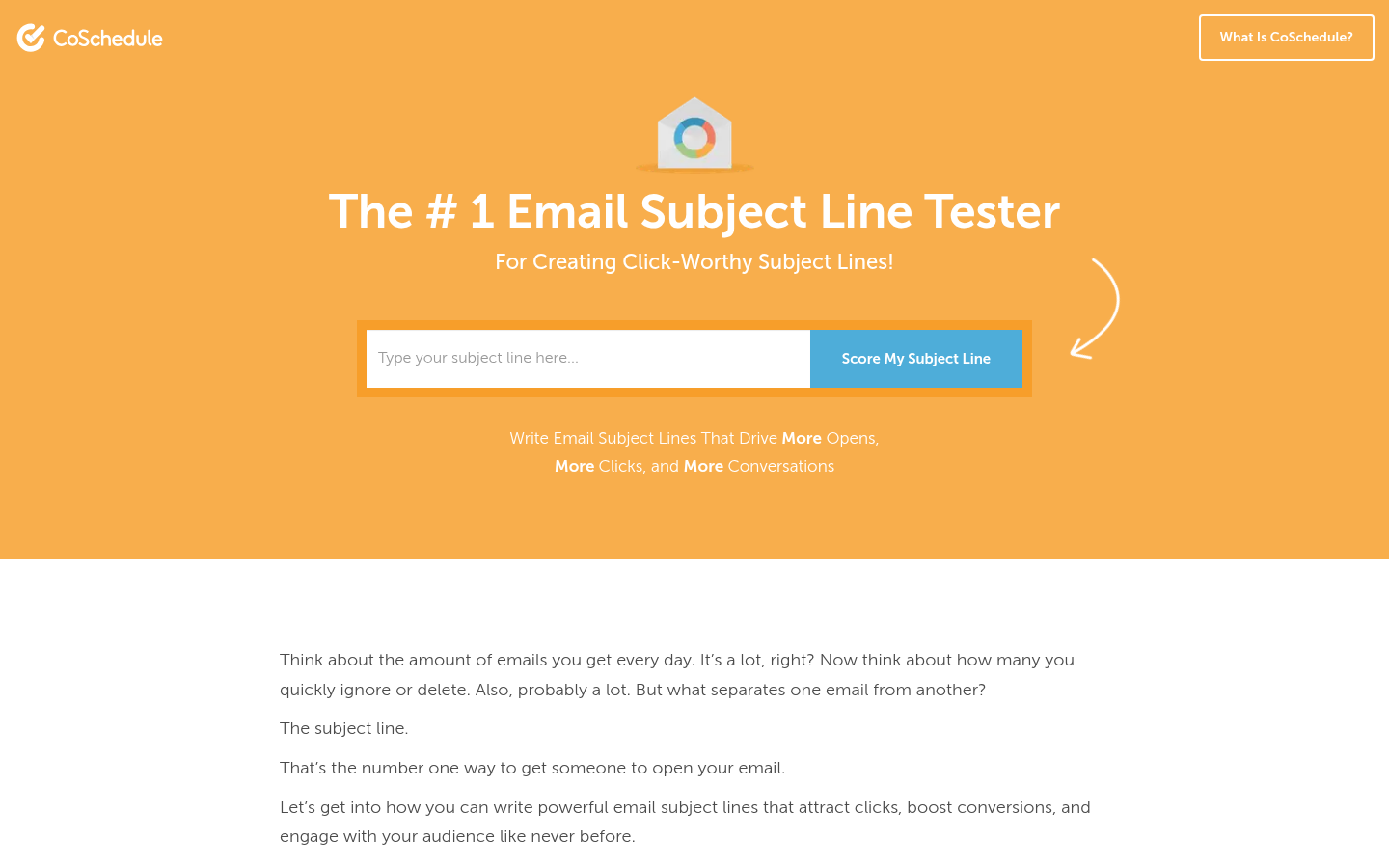
One caution: CoSchedule's framing is that a strong subject line "guarantees delivery." A subject line can avoid spam words, but delivery is decided by authentication, sender reputation and bounce rates, none of which a subject line grader can see.
4. Mailchimp Subject Line Helper
Mailchimp's subject line help is not a page you paste into. It lives inside a Mailchimp account, and Mailchimp's AI tools page describes its recommendations as built on "your store's real sales, campaigns, and customer behavior," with the note that features vary by plan. So the real question is whether you want a Mailchimp plan. Mailchimp's pricing page sets the Free plan at under 250 contacts with a cap of 500 emails a month or 250 a day and one seat. Standard starts at $20 a month after a 14-day trial, allows 12 times your contact count in monthly sends and 5 seats, and Premium is $350 a month for 12 months on 10,000+ contacts, with 15 times contacts in sends and unlimited users. Essentials sits between Free and Standard with 10 times contacts in sends and 3 seats. Overages apply if you exceed a contact or send limit.
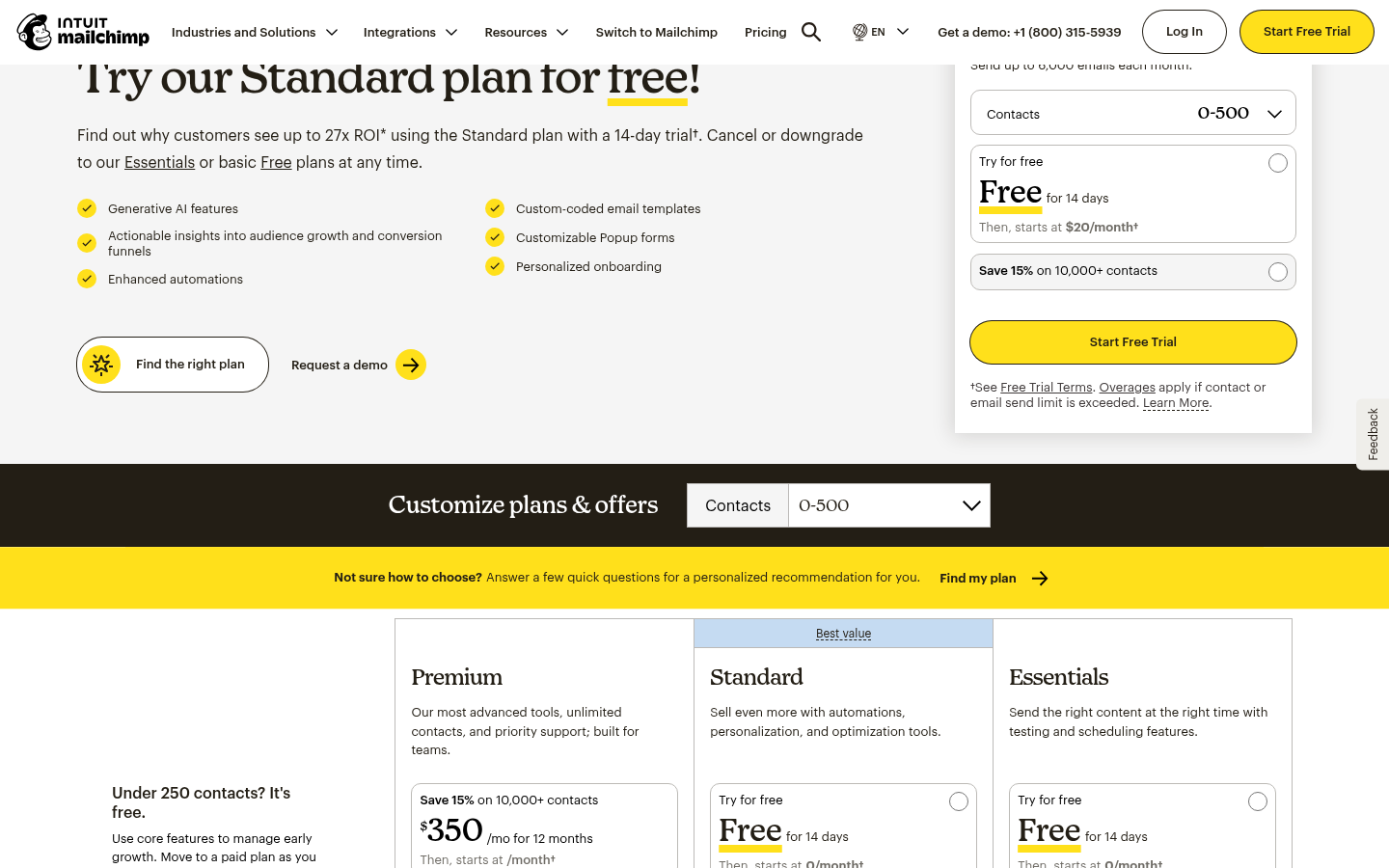
mailchimp.com's pricing page, as of October 10, 2026.
For a marketer already sending through Mailchimp, the helper is there and the cost is sunk. For a cold sender it is a poor fit twice over: the price scales with contacts, and Mailchimp is a marketing platform for opted-in lists, not a cold outreach tool.
5. SuperSend free subject line tester
The SuperSend tester previews a subject line on phone and desktop and checks its length, spam words, caps and personalization. It is free and needs no signup, and it sits in a set of free deliverability tools built around the cold email case: a spam word checker for the body copy, and SPF, DKIM, DMARC and blocklist checks for the domain. That grouping is the point. For outbound, the subject line is one input and the thing you measure is the reply. SuperSend is the outbound sequencer for founders and small sales teams, and its unified inbox labels every reply and puts interested ones on top, so you can see which subject lines produced conversations rather than which produced opens. Plans start from $59 a month on the pricing page, with unlimited contacts on every plan and cost tied to emails sent. Run a line through the free subject line tester first, then judge it by replies once it is live. SuperSend does not claim to A/B test subject variants against reply rate; you do that judgment yourself in the inbox.
The pick
For a newsletter or ecommerce campaign: CoSchedule, because it explains every component of its score and keeps your history. Use ZURB TestSubject as a second check for truncation, knowing its device list is dated.
Already on Mailchimp: use the helper you are paying for; it is tuned to your own send history, which no standalone tester can be.
For cold email: use the free SuperSend tester to catch length and obvious problems, keep the line plain and specific, and measure success by interested replies. A grader's open-rate score was trained on marketing lines, and for outbound a line that scores low on urgency and power words is often the one that gets answered. Our guide to writing a cold email sequence covers how the subject line fits the rest of the sequence.
FAQ
Does a high tester score mean more replies? No. Every tester here scores for opens. Opens and replies move together only loosely, and in cold email a line optimized for urgency and power words can read as a promotion and reduce replies. Score the line, then watch the inbox.
How long should a subject line be? Email Vendor Selection cites research that the most effective subject lines are 60 characters or fewer. Litmus relays Constant Contact's recommendation of seven words or fewer for mobile opens, while adding that there is no universally ideal length and you should test against your own audience.
Which words should I avoid? CoSchedule's advice is to steer clear of terms commonly associated with spam, such as "free" and "earn money," and to avoid all caps and excessive exclamation marks. Paste the body through a spam word checker too; the subject line is not the only place filters look.
Will a good subject line fix spam-folder placement? No. Placement depends on SPF, DKIM, DMARC, sender reputation and bounce rate. Check the domain before you tune the copy; our cold email deliverability checklist walks through it.
Next step
Test your line, send it to a small batch, and read the replies before you read the open rate. If you want the sequence, the inbox and the deliverability checks in one place, you can create a free SuperSend account with no card; the 7-day trial starts when you launch a campaign or start warmup.