Most teams do not decide to leave shared ESP infrastructure because everything is working.
They decide after the system starts showing strain. Replies slow down. Bounces rise. A provider starts filtering harder than usual. Deliverability tests become inconsistent. The team adds more mailboxes, more domains, or more tools, but the underlying sending path still feels like a black box.
That is the moment when the conversation shifts from campaign optimization to infrastructure migration.
Migrating cold email off a shared ESP pool is not the same as switching sequencers. A sequencer controls who gets which message and when. Infrastructure controls how those messages leave your environment, what receiving providers see, how reputation accumulates, and how problems get diagnosed.
If the team is moving toward enterprise cold email infrastructure, the migration has to be treated like an operating-system change: dedicated servers and IPs, sender identity inventory, DNS, placement testing, reply routing, and API workflows all need a plan.
If the migration is handled casually, the team can create the same problems in a new system. If it is handled as an operational project, the new setup can become a much stronger base for scale.
What Counts As Shared ESP Infrastructure
Shared infrastructure means your outbound traffic is leaving through systems, IPs, pools, or routing paths that are not isolated to your sending program.
That can include:
- A cold email platform that routes many customers through the same backend pools.
- Generic SMTP relays used by many unrelated senders.
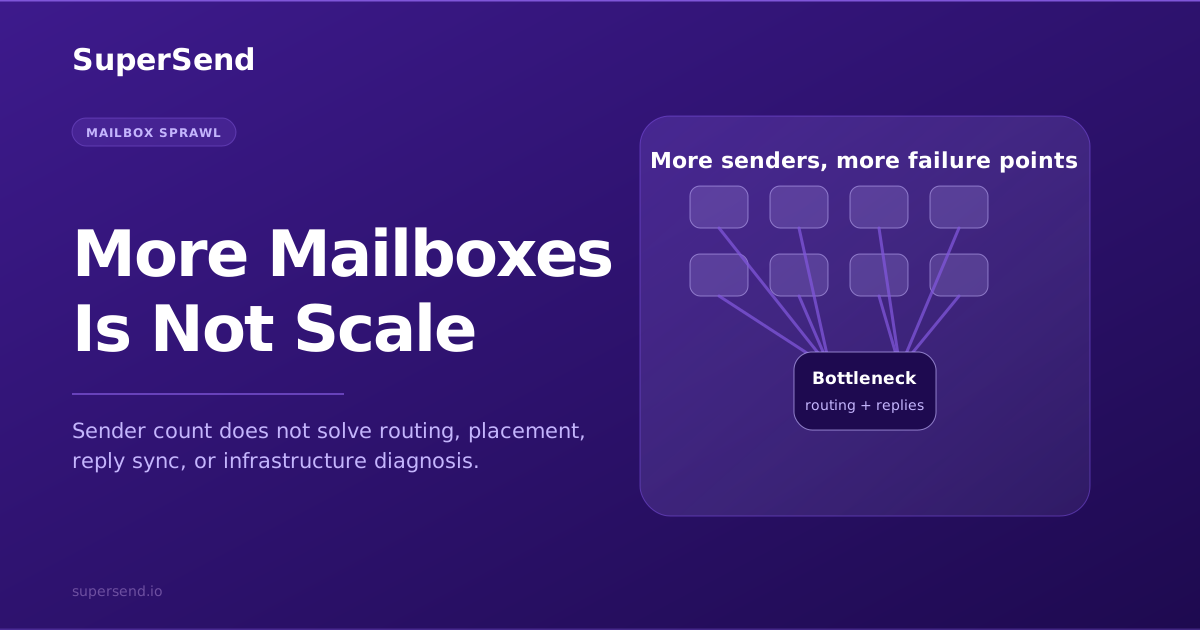
- Mailbox-heavy setups where each inbox is treated as the whole infrastructure plan.
- Provider paths where you do not have useful visibility into routing, throttling, IP reputation, or provider-level outcomes.
The problem is not that shared infrastructure is always bad. For small volumes, it can be enough. The problem is that shared systems become harder to reason about as volume increases. If deliverability changes, you may not know whether the problem is your copy, your list, your domain, the shared path, a noisy neighbor, or a provider-level policy shift.
That is why teams graduate toward dedicated cold email infrastructure: known domains, known sending paths, known IPs, known pacing, and monitoring that lets you diagnose the system instead of guessing.
Start With A Baseline Before Moving Anything
Do not begin by moving all campaigns into the new setup.
Start by documenting the current state:
- Active domains and subdomains.
- Sender identities and mailbox volumes.
- Current daily and weekly send volume by campaign.
- Bounce rates by category.
- Provider-level reply patterns.
- Open and click tracking domains.
- Current DNS records: SPF, DKIM, DMARC, MX, PTR where relevant.
- Current inbox placement test results, if available.
- Campaigns that are mission critical vs experimental.
This baseline matters because it gives you something to compare against after the move. If replies drop after migration, you need to know whether they dropped against a healthy baseline or whether they were already declining. If a domain has a weak history, you do not want to blame the new infrastructure for an old problem.
For the infrastructure components behind that baseline, see What Is SMTP Infrastructure for Cold Email?.
Decide What Should Move First
A migration should not start with your largest campaign.
Pick a controlled slice:
- One domain or domain group.
- One campaign type.
- A limited daily volume.
- A clean list segment.
- A template that has known historical performance.
The goal is to test the new path with enough real volume to learn something, but not so much that a configuration issue damages the whole program.
Avoid moving every sender, campaign, and tracking domain at once. That creates too many variables. If performance changes, you will not know which part caused it.
A good first migration path looks like this:
- Provision the dedicated sending environment.
- Verify DNS and authentication.
- Run low-volume placement and acceptance checks.
- Move one controlled campaign.
- Monitor bounces, placement, replies, and provider splits.
- Increase volume only after the path is stable.
That is slower than a big-bang switch. It is also safer.
For enterprise teams, the test is not "did the campaign send?" The test is whether the new path gives the team better control than the old one: clearer sender capacity, cleaner routing, better diagnostic data, and fewer hidden dependencies.
Treat DNS As A Migration Workstream
DNS is not a checklist item you rush through at the end.
Cold outbound depends on alignment between domains, senders, tracking paths, authentication records, and receiving-provider expectations. A migration can break if the team forgets one record, reuses a damaged tracking domain, or fails to align envelope and visible sender domains.
At minimum, review:
- SPF includes and record length.
- DKIM selectors and signing status.
- DMARC policy and reporting alignment.
- MX records for domains expected to receive replies.
- PTR / reverse DNS where dedicated IPs are involved.
- Tracking and redirect domains.
- Domain age and previous sending history.
The DNS layer is also where hidden complexity appears. Teams sometimes discover old vendors, stale SPF includes, unused subdomains, or tracking paths that no one owns anymore. Cleaning that up before migration reduces false signals later.
If the team needs a broader diagnostic lens, pair this with Domain Health for Cold Email.
Ramp Volume Like The New System Has To Earn Trust
Dedicated infrastructure is not a license to send unlimited volume immediately.
A new or newly reconfigured sending path still needs a controlled ramp. Receiving providers respond to history, consistency, authentication, engagement, complaints, bounces, and sudden behavior changes. If a team moves from a shared path to a dedicated path and immediately sends at peak volume, the new infrastructure may look risky even if it is technically configured correctly.
A practical ramp includes:
- Low initial volume per sender/domain.
- Gradual daily or weekly increases.
- Provider-level monitoring, not only blended campaign metrics.
- Bounce category tracking.
- Placement tests before major volume jumps.
- Pauses when signals deteriorate.
Volume should move because the system is showing it can handle the next step, not because the spreadsheet says the migration date arrived.
For related scale dynamics, read Why Cold Email Deliverability Breaks When You Scale.
Keep Reply Handling Part Of The Migration
Many migrations focus only on sending.
That is a mistake. Cold outbound is not successful because mail leaves the server. It is successful when the right replies are captured, triaged, and routed to the team that can act on them.
Before moving campaigns, confirm:
- Replies still route to the right inboxes or unified reply system.
- Interested replies are not mixed with bounces and auto-replies.
- Sender identities are mapped to owners or teams.
- CRM or pipeline handoff still works.
- Unsubscribes, not-now replies, referrals, and negative replies are handled consistently.
If you are moving from a mailbox-first setup, reply operations can be the part that surprises the team. More sending identities create more reply surfaces. That is why SuperSend pairs dedicated infrastructure with Super Inbox instead of treating reply management as an afterthought.
Keep The Old System Long Enough To Compare
Do not destroy the old setup the same week you launch the new one.
Keep enough historical data, exports, and access to compare:
- Bounce rates before and after.
- Reply rates before and after.
- Provider-level placement differences.
- Campaign-level response by segment.
- Sender/domain-level performance.
You may decide to stop sending from the old path quickly. That is fine. But keep the reporting context long enough to understand whether the new infrastructure is improving the operating picture.
This also helps internal buy-in. A migration is easier to defend when the team can show what improved: fewer unknowns, cleaner bounce data, better routing visibility, stronger placement signals, or easier diagnosis when something changes.
Where SuperSend Fits
SuperSend is built for teams that have outgrown shared cold email tooling and want dedicated outbound infrastructure with sequencing, deliverability visibility, reply management, and API control in one operating layer.
A migration to SuperSend is not just a software switch. It is a move toward a more observable sending system: dedicated servers and IPs, managed domains, placement testing, bounce intelligence, domain health, Super Inbox, and programmatic control where needed.
If your team is still trying to scale from a vague shared path, the next step is not to add another hack. It is to map the infrastructure you have, define the path you need, and migrate deliberately.
To talk through that move, book a demo or review the email sending infrastructure page. If you are still deciding whether the problem is sender count or the infrastructure beneath it, read Dedicated Mail Servers vs Mailboxes for Cold Outbound.
Free playbook · 11 pages
Want the full cold email infrastructure playbook?
Get the founder breakdown on why rented mailbox stacks are breaking and what dedicated cold email infrastructure looks like now.